02 / NEW ORDER
Put the market in context
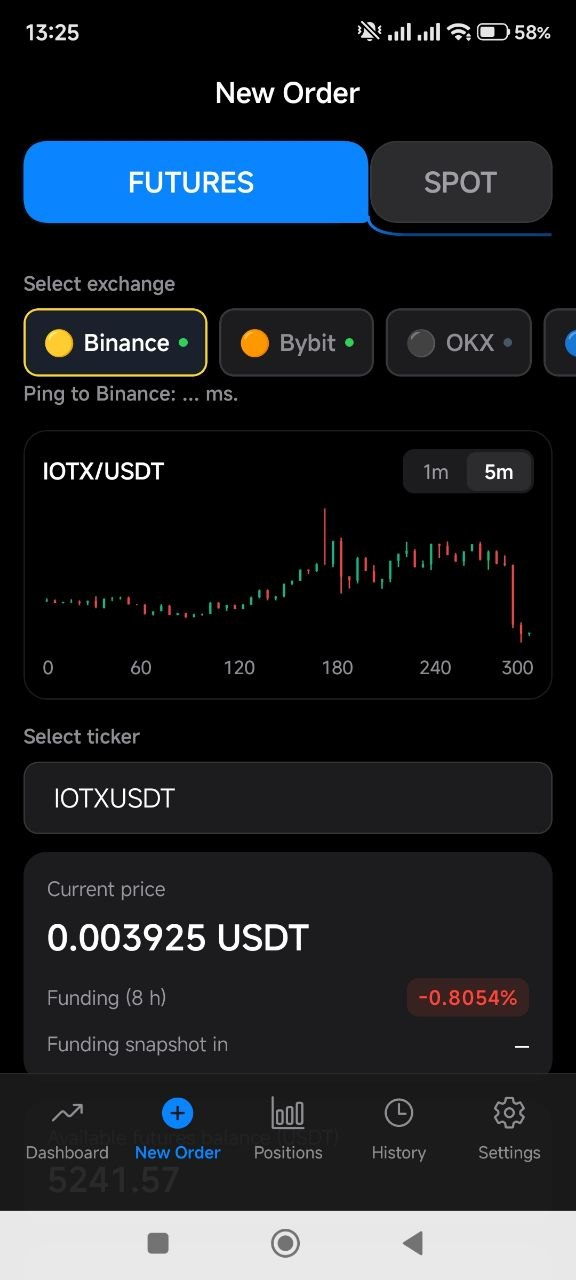
Move from a funding signal to the order screen. Review the exchange, ticker, price chart and current rate before setting up your trade.
- Exchange and ticker selection
- Price chart with selectable timeframes
- Current price and funding information
Original app screenshots · English interface
03 / TRADE PARAMETERS
Define your own parameters
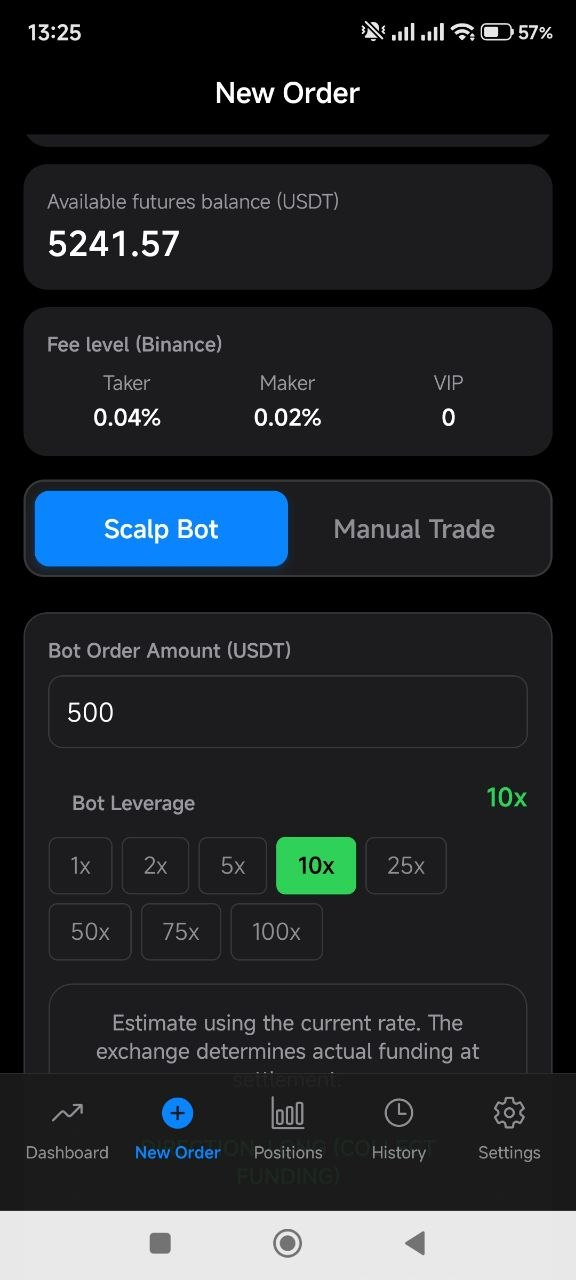
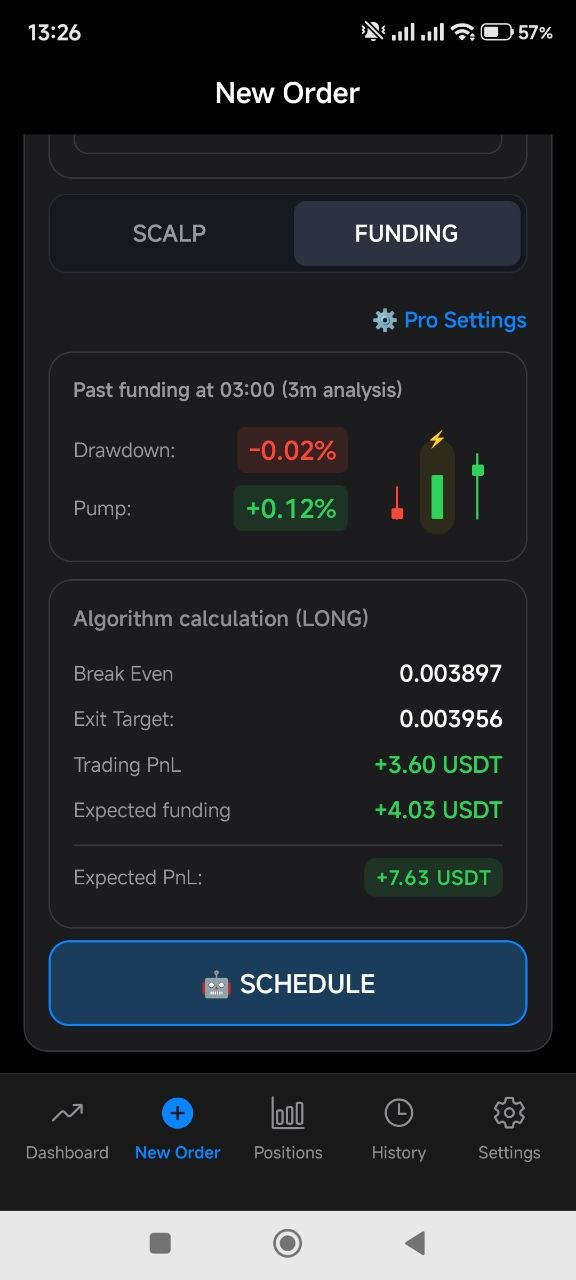
Keep the inputs to your decision together. Review available futures balance and exchange fees, then choose the amount, leverage and trading mode.
- Available futures balance
- Maker and taker fees with VIP level
- Order amount, leverage and manual or bot mode
Original app screenshots · English interface
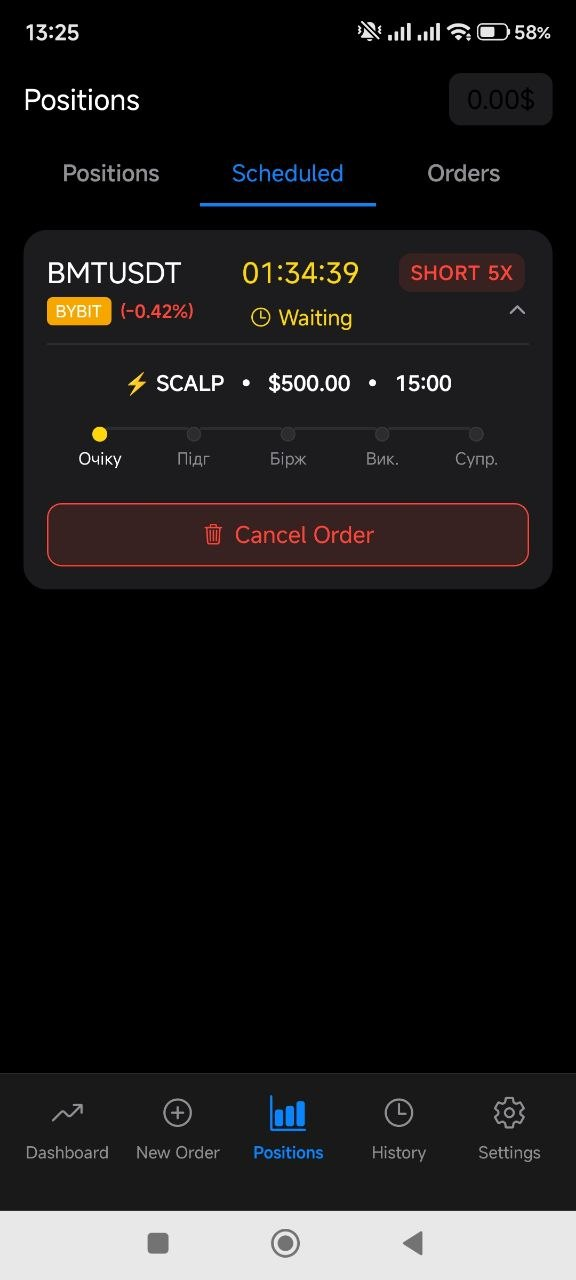
05 / SCHEDULED ORDERS
Keep your plan in view
See what is waiting to run. A scheduled-order card brings together the market, strategy, amount, direction and current stage.
- Countdown and waiting status
- Strategy, amount and leverage on the same card
- A visible action to cancel a scheduled order
Original app screenshots · English interface
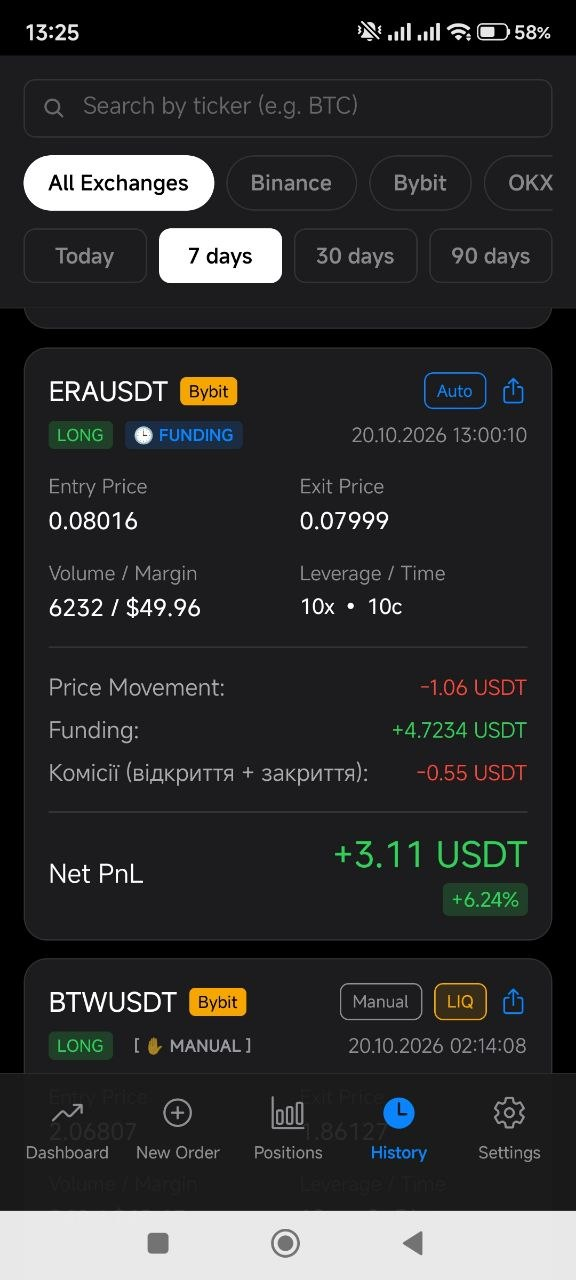
06 / FUNDING HISTORY
Understand the full result
Read the outcome of a funding trade as a breakdown. Price movement, received funding and commissions sit beside entry and exit details.
- Entry and exit prices
- Price movement, funding and fees
- Net PnL for the recorded trade
Original app screenshots · English interface
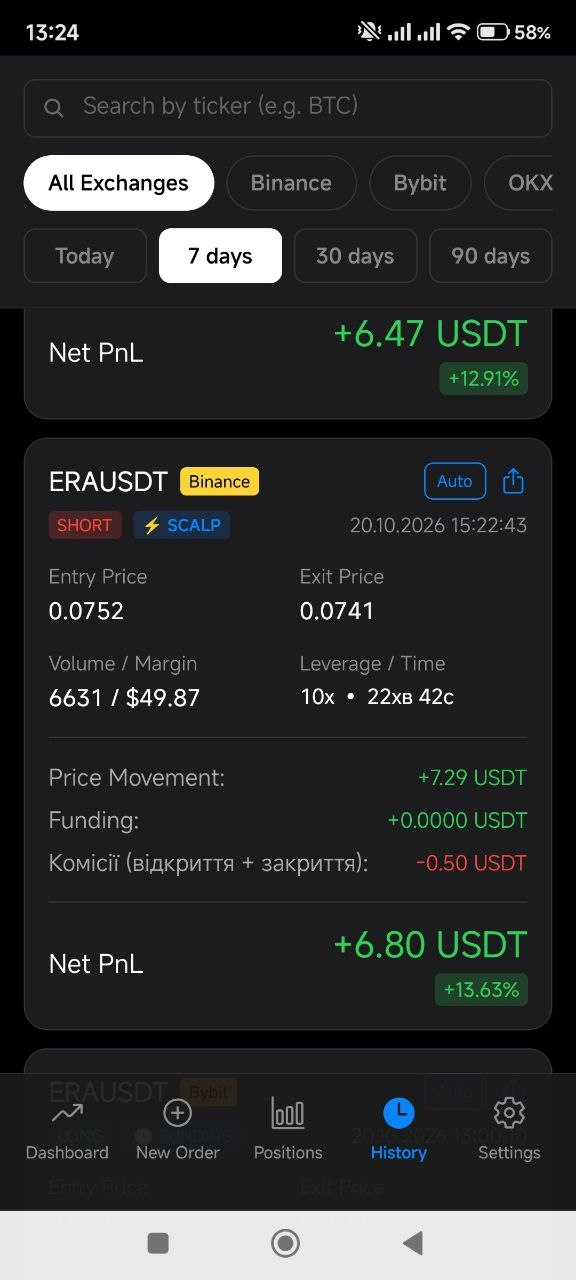
07 / STRATEGY HISTORY
Look back with more clarity
Distinguish SCALP and FUNDING records, automatic and manual trades. Review direction, leverage and duration in the history of each trade.
- Strategy and trade-origin labels
- Position direction, leverage and duration
- Search by ticker, exchange and period
Original app screenshots · English interface
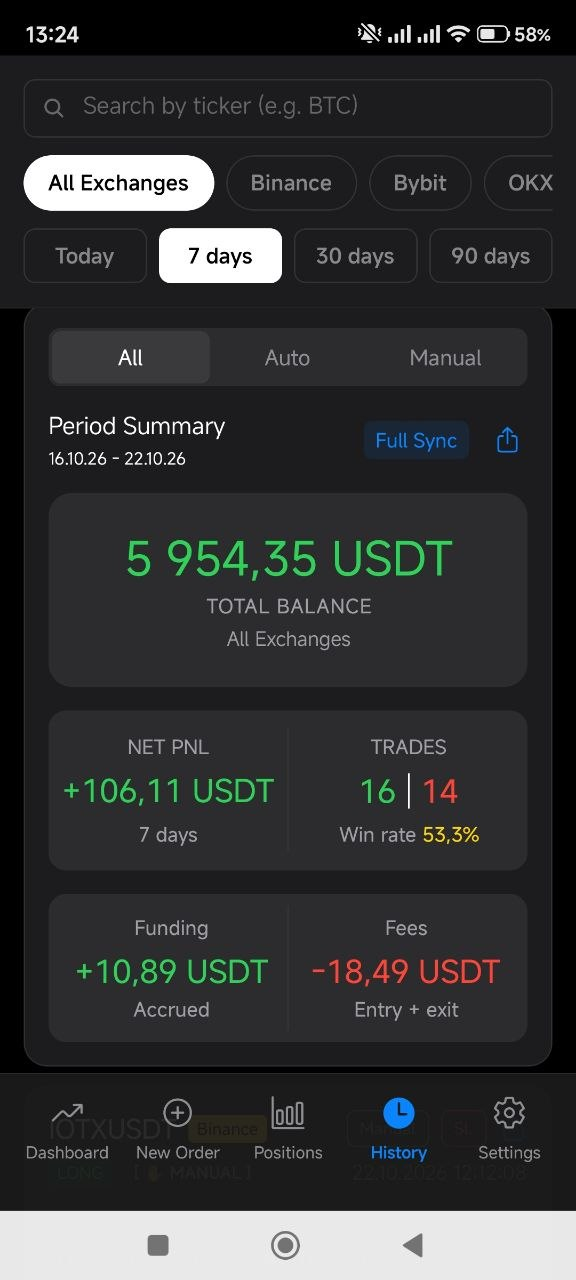
08 / PERIOD SUMMARY
See the bigger picture
Bring the selected period into one summary. Review balance, net PnL, trade counts, funding and fees together, then explore the records underneath.
- A selected period across exchanges
- Balance, net PnL and trade statistics
- Funding and fees shown separately
Original app screenshots · English interface
 RateScan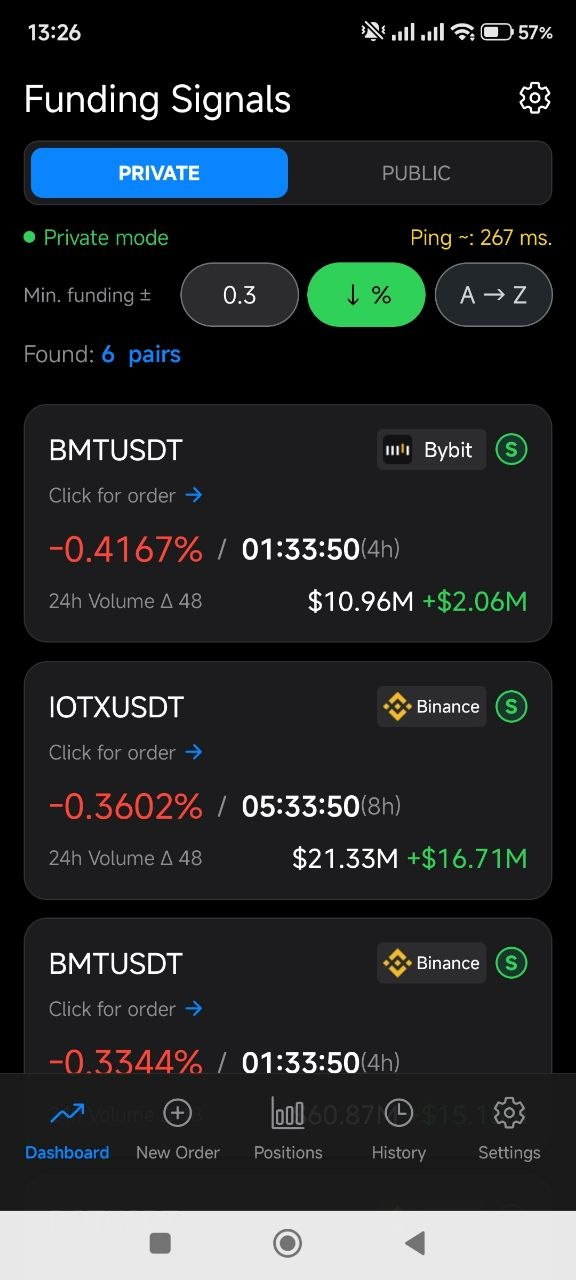
 Binance
 Bybit
Bybit OKX
OKX Bitget
 KuCoin
 Gate.io
 BingX
BingX MEXC
MEXC